Battle Pass vs Item Shop — Why It Matters
Every Fortnite cosmetic comes from one of a few sources: the Item Shop (buy it with V-Bucks whenever it rotates in), the Battle Pass (earn it during one season), the Fortnite Crew subscription, a live event or quest, or a promotion with a hardware or retail partner. The source decides whether an item can ever be bought again — which is the single most-asked question about any skin, and the reason forlocker puts the shop log front and centre on forlocker.click.
Exclusivity Rules
Battle Pass exclusivity is simple to state: cosmetics unlocked through a season's pass are only available during that season, and once it ends the pass is gone for good. There is no later purchase path — not from the shop, not from the next pass. The same has applied to Fortnite Crew monthly outfits since the service launched in late 2020, and to the Chapter 1 “exclusive” outfits that were tied to a season level or an event.
The nuance is in the edges. Styles and companion items that were sold in the shop can return even when the base outfit cannot. Collaboration outfits that happened to be in a pass (for example licensed characters in a themed season) still follow the Battle Pass rule — the licence does not override it. And a few very old Chapter 1 items that pre-date the modern rules have been re-released as “retro” variants with a different ID, which is why the ID on each forlocker page matters.
Which Skins Can Return
Epic's stated position has been consistent: Battle Pass cosmetics do not return to the Item Shop, and Crew cosmetics do not either. Everything that was sold in the shop may be sold again at any time, with no guaranteed interval and no notice. That is the whole policy; the rest is pattern.
In practice the pattern looks like this in the forlocker.click data: a shop-era outfit will usually have several logged appearances within its first year, with the gap stretching as it ages; a licensed item returns in bursts; a Battle Pass or Crew item shows zero appearances no matter how old it is. When a page has existed for a long time and the log is still empty, that is the policy at work, not a gap in the forlocker record.
How to Tell Them Apart
Three signals on any forlocker.click cosmetic page tell you which kind of item you are looking at:
- Shop appearances. One or more → it was sold in the shop and can return. Zero → Battle Pass, Crew, event or promotional, or simply brand new; read the next two signals.
- Introduced. The chapter and season the item was added. An item introduced a year or more ago with zero appearances is almost certainly not a shop item.
- Set and series. A set whose other members all have shop logs while one member has none is the classic shape of a Battle Pass outfit with shop-sold companions.
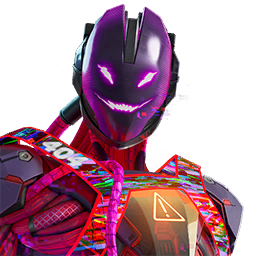
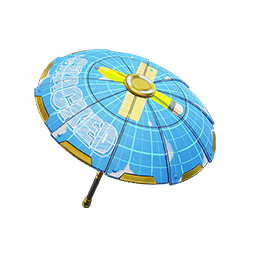
Pages in this index with an empty shop log at the moment: Nitemare Hack, Builder's Blueprint 'Brella, Hazard Agent, Listen Up, HUNTR/X Logo, Glow Rider. Some of these are simply recent additions waiting for their first rotation; the “Introduced” row separates the two cases.
For comparison, items with at least one logged appearance: Haunted Hunter, LA CHONA, Hime, Mega Buster Flex.
forlocker does not guess the source — the game data does not expose it directly — so the log is the evidence, not a label. That is deliberate: a dated record is harder to get wrong than a tag.